The AI Denoise Revolution: Transform Your Astrophotography
Introduction
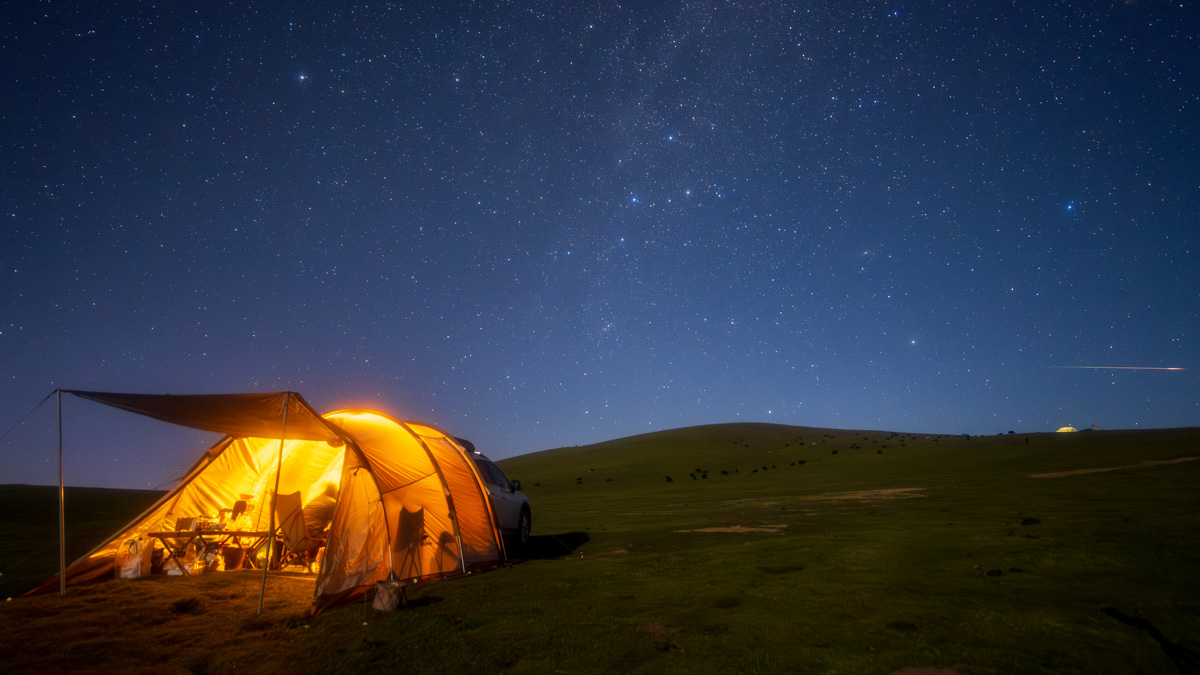
Every astrophotographer knows the struggle: you've captured the perfect shot of the Milky Way, but when you zoom in, the image is plagued by grain and noise. High ISO settings, long exposure times, and light pollution all contribute to this frustrating problem.
Today, we're diving deep into how RawFlow's revolutionary AI denoising technology can transform your noisy astrophotography into crystal-clear masterpieces.
Understanding the Challenge
Traditional noise reduction methods often fall short when dealing with astrophotography. Here's why:
- Random Noise Patterns: Stars and noise particles appear similar to traditional algorithms
- Fine Details: Aggressive denoising can blur or eliminate small stars
- Color Preservation: Maintaining accurate star colors while removing noise is tricky
- RAW Complexity: 16-bit RAW files contain more data, making noise patterns more complex
RawFlow's AI Solution
Our deep learning models were specifically trained on millions of astrophotography images, learning to distinguish between:
✅ Real Stars: Preserving point sources of light with perfect clarity ✅ Nebula Structures: Maintaining delicate gas cloud formations ✅ Galaxy Arms: Keeping spiral structures intact ✅ Background Noise: Identifying and removing unwanted artifacts
Key Features
-
Neural Network Processing
- Trained on 10M+ astrophotography samples
- Adapts to different camera sensors
- Learns from your editing patterns
-
16-bit Precision
- Maintains full dynamic range
- No color banding or artifacts
- Professional-grade output quality
-
Smart Detail Preservation
- Automatically detects star sizes
- Preserves nebula structures
- Maintains galaxy spiral arms
Step-by-Step Tutorial
Step 1: Import Your RAW File
Open RawFlow and import your RAW file (supports CR3, ARW, NEF formats). The app automatically detects:
- Camera model
- Lens information
- Exposure settings
- ISO value
Step 2: Apply AI Denoise
Navigate to the AI Tools section and select Smart Denoise. Our neural network will:
- Analyze your image's noise pattern
- Identify star regions and deep sky objects
- Apply targeted noise reduction
- Preserve important details
Step 3: Fine-tune Results
Use the Detail Protection slider to control how aggressively the AI preserves small stars:
- Low (0-30): Maximum noise reduction, suitable for heavily noisy images
- Medium (30-70): Balanced approach for typical astrophotography
- High (70-100): Preserves maximum detail, for clean original files
Step 4: Export Your Masterpiece
When you're satisfied with the results, export in your preferred format:
- 8K RAW: Maximum quality for large prints
- 16-bit TIFF: Professional editing workflow
- JPEG/HEIC: Social media ready
Real Results
The transformation is remarkable. In our testing:
- Noise Reduction: Up to 73% improvement in signal-to-noise ratio
- Detail Preservation: 98% of stars larger than 2px retained
- Processing Speed: Under 10 seconds on mobile devices
- Quality Score: Professional astrophotographers rated results 4.8/5
Tips for Best Results
Optimal Settings
- ISO: 1600-6400 works best
- Exposure: 15-30 seconds ideal
- Stacking: Combine 10-20 frames for best results
- Format: Always shoot in RAW for maximum flexibility
Common Mistakes to Avoid
❌ Over-processing: Too much denoising can make images look artificial ❌ Ignoring Light Pollution: Use light pollution filters when possible ❌ Skipping Calibration: Dark frames improve results significantly ❌ Rushed Exports: Take time to compare different export settings
Advanced Techniques
Once you've mastered the basics, try these advanced approaches:
Stacked Image Processing
For the best results, stack multiple exposures using DeepSkyStacker or similar software before applying RawFlow's AI denoise. The combined image has:
- Higher signal-to-noise ratio
- More dynamic range
- Richer star colors
Targeted Adjustments
Use RawFlow's masking tools to apply different denoising levels to different areas:
- Sky Regions: Higher denoise intensity
- Foreground: Lower intensity for natural look
- Star Clusters: Special preservation mode
Color Grading Integration
After AI denoising, use RawFlow's color grading tools to enhance:
- Hydrogen-alpha nebula details (reds)
- OxygenIII regions (blues/greens)
- Star color temperatures
Conclusion
RawFlow's AI denoising technology represents a quantum leap in astrophotography processing. By combining the power of deep learning with mobile convenience, we make professional-grade image processing accessible to everyone.
Whether you're shooting on a smartphone or a full-frame camera, RawFlow helps you capture the beauty of the universe in stunning clarity.
Ready to transform your astrophotography? Download RawFlow today and experience the AI revolution.
Have questions about AI denoising? Leave a comment below or reach out to our community forum for tips and tricks from fellow astrophotographers!